The problem
Where equipment goes missing
Live events move thousands of pieces of broadcast and IT equipment through three phases: setup, the event itself, and breakdown. Setup and breakdown are where most loss happens.
Crews work off paper lists or spreadsheets on a phone. Nobody tracks every piece; they track the ones that come to mind. Items end up in the wrong container, the packing logic from the original team is lost, and damage is often caught at the next event.
This is a tracking problem, not a process problem. ground makes tracking fast enough that it actually gets done.
One real event, one place
ground: one view per event, one source of truth
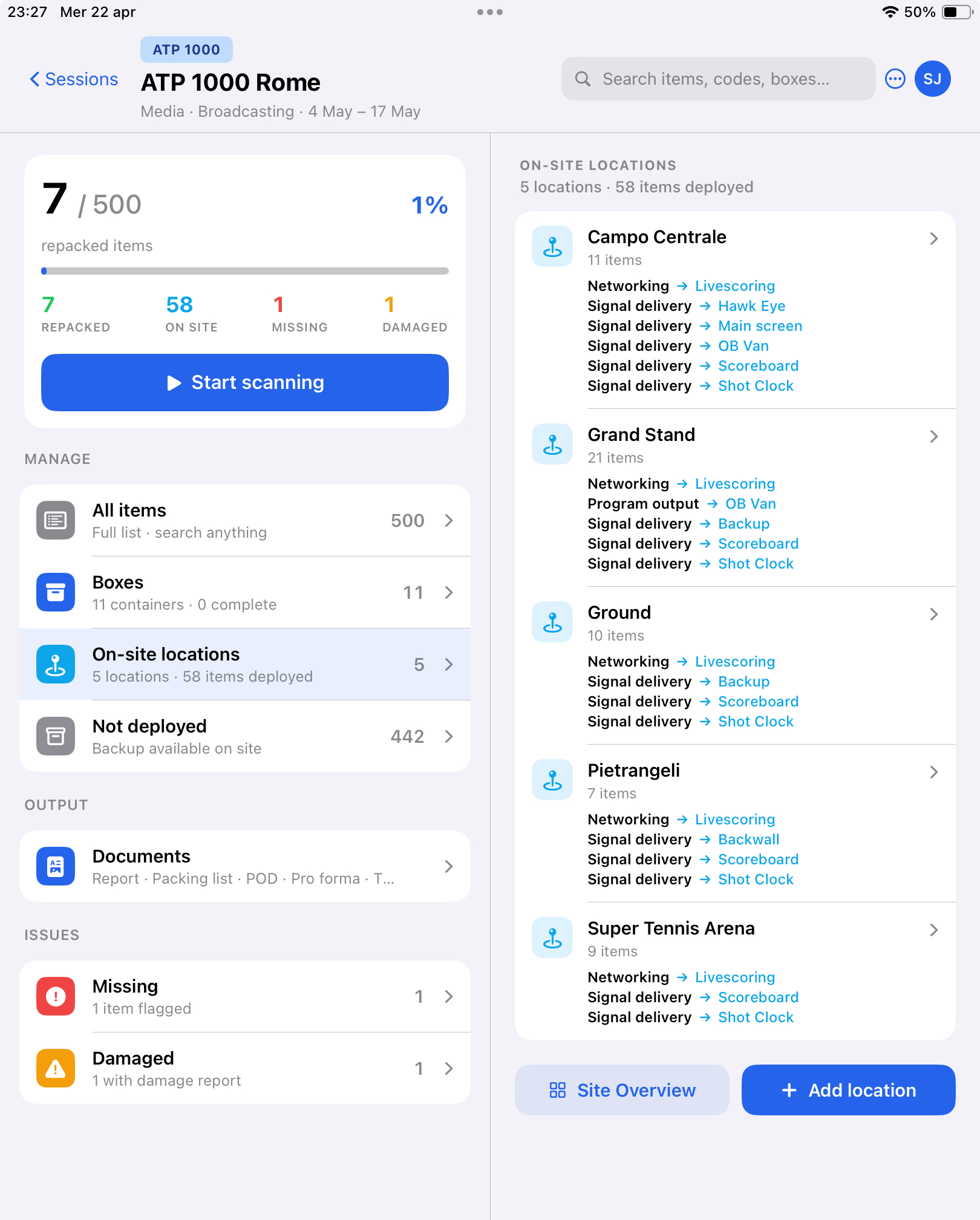
This is the hub a crew opens on arrival. Left pane: the event context, the repacking counter, and everything they need to manage today — all items, boxes, on-site locations, documents, issues.
Right pane: every location on site, with the role → destination of each deployment. The screen reads like a signal-flow chart. Campo Centrale has networking into Livescoring, signal delivery to OB Van, Main screen, Scoreboard, Shot Clock. That's the whole broadcast plan, captured as operators deploy each piece.
Same screen works on iPhone (single pane) and iPad (dual pane), in any event phase — packing, live, post-event.
The crew workflow
Every piece tracked, fast input
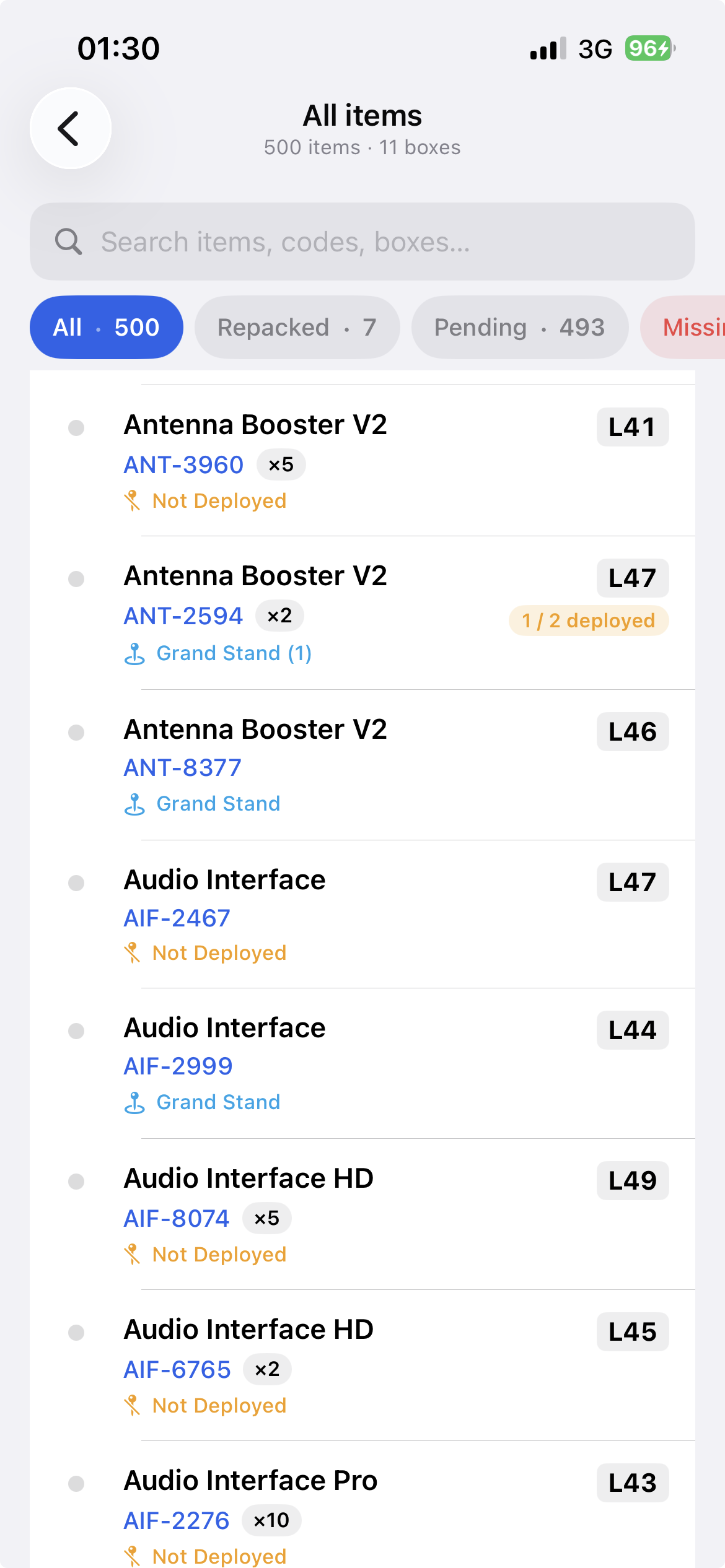
Every item is searchable, filterable, one tap away. 500 pieces across 11 containers, each row showing its box code and deployment state at a glance.
Operators mark items however's fastest in the moment — scan the barcode, tap an item in the list, or select a batch at once. The input method is a convenience; the tracking is the point.
Missing items get flagged the same way. Damaged items get a photo and an optional note attached on the spot.
Everything auto-saves locally. If there's signal, it also syncs to the cloud within half a second. If there's no signal, it keeps working. The crew never waits on the network.
Manager view, breadth
One browser tab, all events
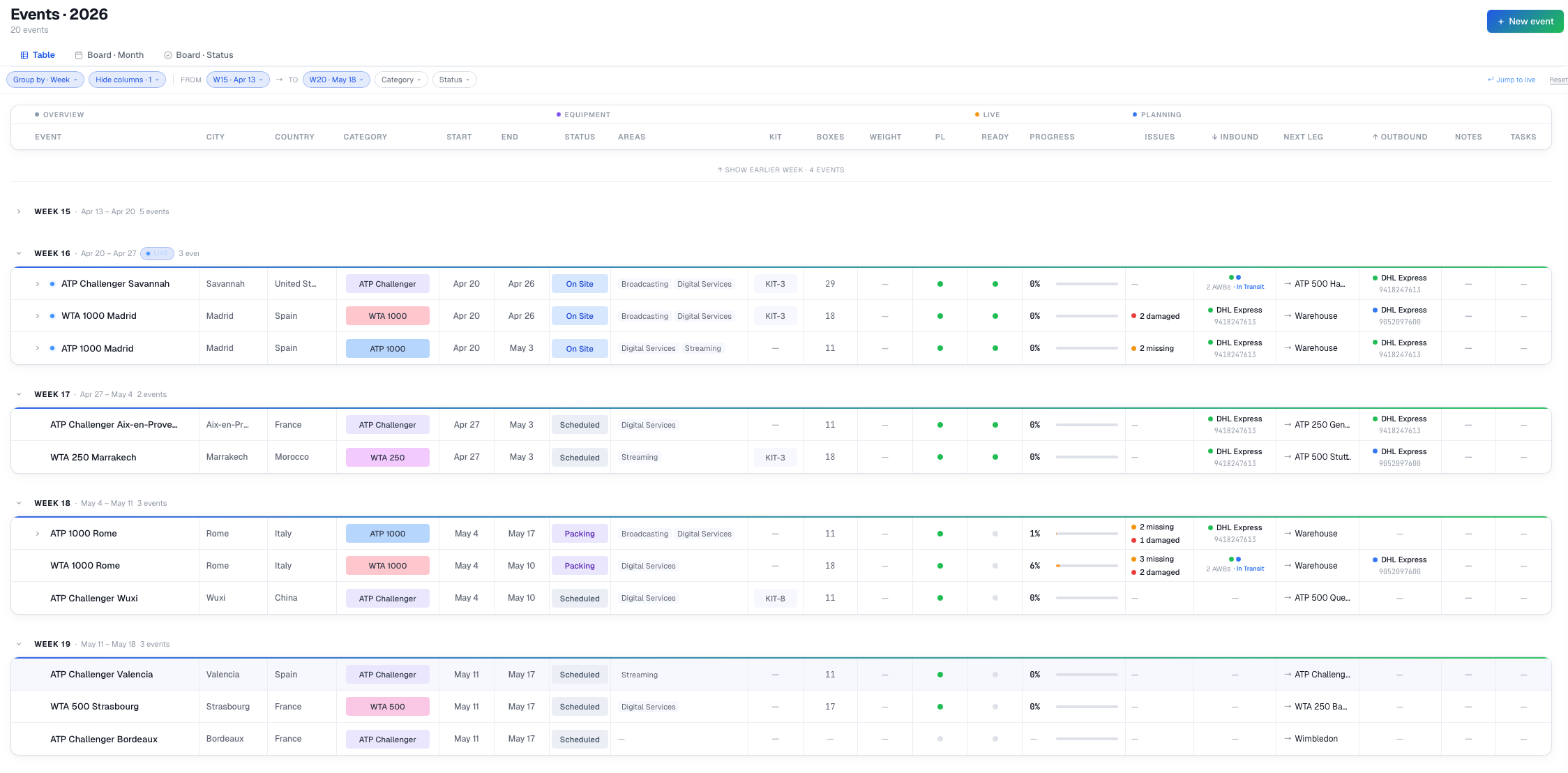
From the manager's side, every event sits on one board — week-grouped, status-coded, with live repacking progress, missing and damaged flags, inbound and outbound shipping, and AWB tracking all visible without drilling in.
A glance tells you what's happening across the season. A click tells you why.
Manager view, depth
Zoom in on any event
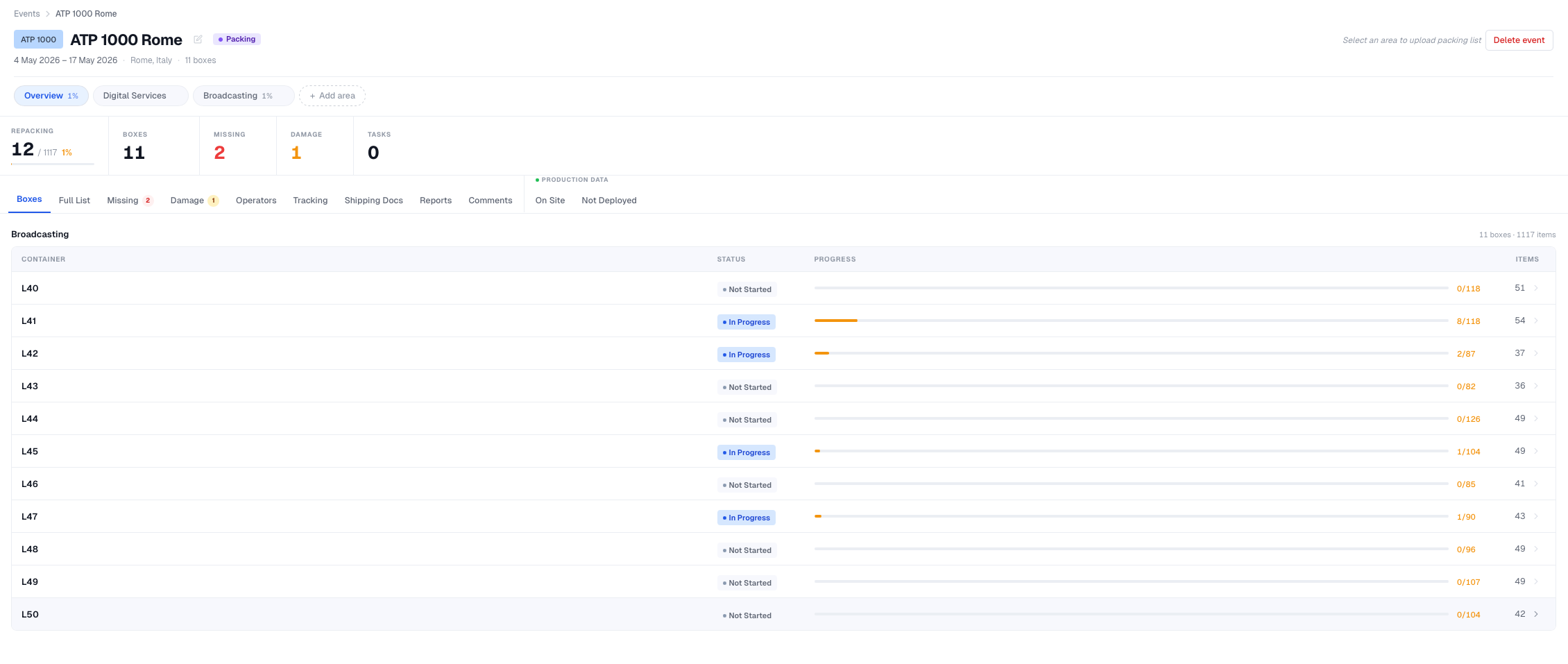
The same event the crew sees on iPad, re-composed for the manager. Stats up top. Per-container progress in the table — the operator scans an item on site, the table reflects it within a heartbeat.
Side tabs cover everything around the event: the full item list, missing, damage, operators, tracking, shipping documents, reports, comments, and the on-site deployment view that mirrors the iPad hub.
Managers don't need to interrupt the crew to know what's happening. They already know.
The byproduct
What we also get, without asking
Because every item is tracked through the full job — packed, deployed to a location, assigned a role, pointed at a destination, eventually repacked — each event leaves behind a complete service-delivery record.
That wasn't the goal. The goal was making install and repack trackable. But the record is there if anyone ever wants:
- Dead-weight analysis — what ships every event and never actually gets deployed.
- Cargo and case optimization — what fits where, sized from real usage rather than guesswork.
- Service templates — how we actually delivered an ATP 500, a Grand Slam, a Formula E round. Reusable patterns drawn from hundreds of real events, not one person's memory.
None of this is built. All of it is possible with zero additional data collection — the tool already captures what it needs.
The ask
One event, then evaluate
ground is built and running. The proposal is simple: pick one event, try it, then decide.
- One event — next ATP 1000 or WTA 1000 round, with the crew briefed before arrival.
- One debrief — after repack, walk through what helped, what got in the way, what should change.
- Decide from there — roll out further, keep iterating, or set it aside.
One event is enough to tell us whether this belongs in the season.